


Cloud Migration for Small Business 2026
Cloud migration for small business isn’t just a tech upgrade anymore… It’s one of those decisions that can quietly shape how your business runs for the next five years.
If you’re still juggling local servers, slow systems, or “that one computer that everything depends on”… yeah, you’re not alone. A lot of small business owners hit a point where things start to feel fragile. One crash, one outage, one mistake… and everything pauses.
That’s usually when the question shows up: Do we finally move to the cloud?
Let’s walk through this properly. No fluff. Just what actually matters.
What Cloud Migration for Small Business actually means
At its core, cloud migration for small businesses means moving your data, apps, or systems from physical machines… to internet-based systems you can access from anywhere.
Think of it like this.
Instead of storing everything on a computer in your office, you’re putting it in a secure, always-on system that you can log into from your laptop, your phone, or wherever you are.
Simple example:
You run a small accounting firm. Right now:
- Files are stored on one office PC
- Backup is… inconsistent
- Remote work is painful
After moving to cloud computing for small businesses:
- Files are stored securely online
- Your team can access them anytime
- Backup happens automatically
That’s the shift.
Why move to the cloud (and why now)

This question comes up a lot… why move to the cloud now, in 2026?
Short answer: expectations changed.
Customers expect faster service. Teams expect flexibility. Running everything locally is becoming outdated.
A recent Flexera 2025 report showed that over 87% of small and mid-sized businesses are already using some form of cloud computing and small business tools. That number keeps growing.
So this isn’t early adoption anymore. It’s catching up.
The real reasons small businesses are moving:
- Less dependency on physical hardware
- Easier remote work and collaboration
- Better data security than most local setups
- Predictable monthly costs instead of surprise IT bills
And yeah… peace of mind matters more than people admit.
Benefits of cloud migration for small businesses
Let’s slow down here, because “benefits” often get thrown around without context.
The real benefits of cloud migration show up in day-to-day operations.
1. Cost control (not just savings)
Cloud migration benefits include predictable pricing.
Instead of:
- sudden server failures
- expensive upgrades
- emergency IT fixes
You get:
- monthly billing
- scalable usage
- fewer surprises
But… small note. Costs can creep up if not managed. We’ll get to that.
2. Scalability without hiring a big IT team
With cloud technology for small businesses, you don’t need to hire 5 engineers just to grow.
Need more storage? Click.
More users? Add them.
That flexibility is huge.
3. Security (usually better than on-prem setups)
This one surprises people.
Most small businesses assume local = safer.
It’s usually the opposite.
Cloud providers invest billions in security. Encryption, monitoring, backups… stuff most SMBs simply can’t afford on their own.
4. Collaboration and productivity
Teams can work from anywhere. Files update in real time.
No more:
“Who has the latest version?” Chaos.
5. Business continuity
Power outage? Office locked? Hardware failure?
You’re still running.
That’s one of the biggest benefits of migrating to the cloud.
Common small business cloud migration use cases

Let’s make this real.
Where does cloud migration for small businesses actually show up?
- Email systems moving to cloud platforms
- File storage and sharing
- Accounting software and CRM systems
- Backup and disaster recovery
- Hosting websites or apps
Even small retail shops now use cloud computing for small business tools like POS systems and inventory tracking.
Cloud migration planning (what to do before anything)

This is where most mistakes happen.
People jump straight into tools… without a plan.
Good cloud migration planning starts with questions:
- What systems do we actually use daily?
- What data is critical?
- What can move now vs later?
- What happens if something goes wrong?
You don’t need a 50-page strategy. But you do need clarity.
Step-by-step cloud migration strategy
Here’s a practical cloud migration strategy that actually works:
Step 1: Audit what you have
List:
- applications
- data
- dependencies
You’ll find surprises here.
Step 2: Define goals
Not “move to cloud.”
Real goals like:
- reduce downtime
- enable remote work
- improve security
Step 3: Choose migration approach
We’ll break this down next.
Step 4: Test before full move
Never go all-in immediately.
Step 5: Migrate in phases
Start small. Learn. Adjust.
Step 6: Monitor and optimize
This is ongoing. Not one-and-done.
Cloud Migration For Small Business models: lift-and-shift vs hybrid vs modernization
This is where decisions get real.
Lift-and-shift
You basically move everything as-is.
Fast. Simple.
But not always optimized.
Hybrid migration
Some systems stay local. Some move.
Honestly… this is the most practical for many SMBs.
Modernization
You rebuild systems for the cloud.
Best long-term… but more effort.
If you’re unsure, hybrid is often the safest starting point.
AWS vs Azure vs Google Cloud for small businesses
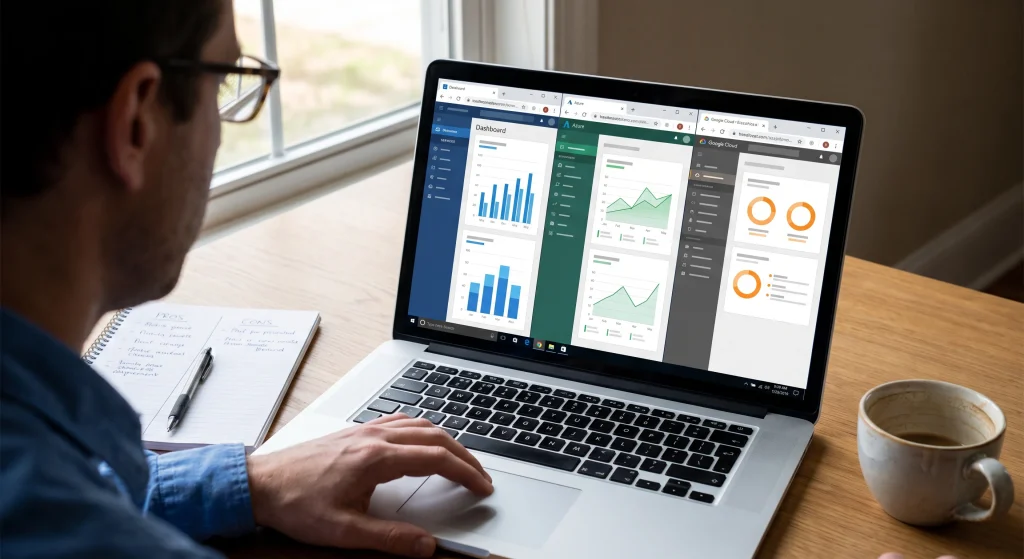
No need to overcomplicate this.
Here’s the simple breakdown:
- AWS: most mature, very flexible, slightly complex
- Azure: great if you already use Microsoft tools
- Google Cloud: strong in data and AI, simpler pricing in some cases
For cloud computing and small business use:
- Microsoft-heavy business? Azure makes sense
- Want flexibility? AWS
- Data-focused workflows? Google Cloud
No wrong answer… just different fits.
Cost factors, hidden costs, and budgeting tips
Let’s talk honestly. Cloud migration benefits don’t mean “cheap.”
Main cost drivers:
- storage usage
- data transfer
- compute time
- licensing
Hidden costs:
- idle resources
- poor configuration
- over-provisioning
Simple cost control tips:
- start small
- Monitor usage weekly
- Shut down unused resources.
Some businesses use basic cost calculators from providers… helpful, but not perfect.
Cloud database migration checklist
If you’re moving data, don’t wing it.
A basic cloud database migration checklist:
- Identify all data sources
- clean outdated data
- Back everything up
- test migration in staging
- validate after migration
- set up monitoring
Skipping this is how data gets lost.
Risks and how to reduce them
Yeah… there are risks.
Let’s not ignore that.
Common ones:
- downtime during migration
- data loss
- cost overruns
- security misconfigurations
How to reduce them:
- phased migration
- strong backup strategy
- testing before rollout
- access control setup
Also… consider partner support. Even short-term help can prevent expensive mistakes.
When to migrate and when to wait
Not every business should rush.
Good time to move:
- Systems are outdated
- remote work is needed
- Scaling is difficult
Wait if:
- processes are unclear
- no budget planning
- Critical systems can’t risk downtime yet.
Cloud migration for small businesses works best when it’s intentional… not reactive.
Post-migration: governance, FinOps, and support
This part gets ignored… and it shouldn’t. After you move to the cloud:
You need:
- cost monitoring (FinOps basics)
- access controls
- regular audits
- backup validation
- performance monitoring
Cloud isn’t “set and forget.” It’s “set and manage.”
A quick reality check, most guides skip
A lot of guides talk like cloud migration is smooth.
Sometimes it is.
Sometimes… It’s messy.
Things break. Costs spike. Teams struggle to adapt.
That doesn’t mean it’s wrong. It just means it needs planning.
And patience.
Practical action plan you can follow
If you’re sitting there thinking “okay… but what do I actually do next?”
Start here:
- List your current systems
- Identify what causes the most frustration
- Choose one small thing to migrate first
- test it properly
- learn from it
That’s it.
You don’t need to transform everything overnight.
If you follow tech updates and care about how new rules shape the digital world, read this guide on Tech Regulation 2026 Teen Safety.
FAQs
How to move a server to the cloud?
Start by auditing your server, choose a cloud provider, test migration in a staging setup, then move in phases.
Why migrate to the cloud?
Better flexibility, security, scalability, and cost predictability compared to traditional setups.
Are small businesses moving to the cloud?
Yes. Most SMBs already use some form of cloud computing for small business operations.
Can a small business save money by going 100% cloud?
Sometimes, but not always. Costs depend on usage and management.
How do you estimate cloud migration costs for an SMB?
Use provider calculators, estimate storage and compute needs, and include hidden costs like data transfer.
How do you migrate Active Directory to the cloud for a small business?
Typically, by integrating with Azure AD or similar services, often with hybrid setups first.
Is moving a small business to the cloud the right choice?
It depends on your needs, budget, and readiness. Not every business should rush.
Is outsourcing IT and moving to the cloud worth it for a small business?
For many, yes. It reduces internal workload and improves reliability.
What actual benefits does a small business get from migrating workloads to the cloud?
Improved access, better security, scalability, and operational flexibility.
What are the best practices for a successful small business cloud migration?
Plan first, migrate in phases, test everything, and monitor costs closely.
What are the best strategies for moving a small business to the cloud?
Hybrid or phased migration strategies usually work best.
What are the main challenges in cloud migration for small businesses?
Cost control, downtime risks, and lack of planning.
What cloud migration options are available for a small business?
Lift-and-shift, hybrid, and modernization approaches.
What is the best cloud migration service for a small business?
Depends on your needs. AWS, Azure, and Google Cloud all offer solid options.
What is the best cloud migration strategy for a small business?
A phased, hybrid-first approach is often the safest.
What kind of servers do small businesses use before migrating to the cloud?
Typically, on-premise servers or basic hosting setups.
What should a small business know before migrating from on-prem to cloud?
Understand costs, risks, and dependencies before moving.
What tips help make a cloud migration smoother for a small business?
Start small, test everything, and avoid rushing the process.
Final thoughts (what actually matters)
Cloud migration for small businesses isn’t about chasing trends. It’s about making your business easier to run. Less stress. More flexibility. Fewer “what if something breaks” moments. If you take one thing from all this… let it be this: You don’t need to do everything at once. Start small. Stay practical. Build from there.
Author: Muhammad Shaheer Qaisar
Technical insights contributed by Alex Morgan, Cloud Consultant with 13+ years of experience in AWS, Azure, and enterprise cloud architecture.
Last updated: April 2026